
Best Procure-to-Pay Software, A Buyer's Guide for Procurement Teams

Overview
P2P software brings your entire purchasing process, from the first request to the final payment, into one place. This guide covers what to look for, how the top platforms stack up, what they actually cost, and how to pick the right one.
Your Procurement Process Is Probably Running on Duct Tape
Here's something a lot of teams don't say out loud: their procurement process isn't really a process. It's a collection of habits. Requests come in over email. Approvals happen in Slack, or they get forgotten there. Invoices land in someone's inbox, get forwarded to finance, and then sit in a queue until someone has a quiet afternoon.
Nobody planned it this way; It just grew.
And for a while, it works. Until it doesn't. A supplier gets paid twice. An invoice dispute drags on for three weeks because nobody can find the original purchase order. An audit question takes two days to answer. And by then, everyone knows the cracks have been there for a long time.
This is exactly what P2P software is built to fix. Not by making things more complicated, but by replacing the scattered tools with one connected system. Every request, approval, order, and payment in one place. All visible. All documented. All running in the right order.
According to Ardent Partners, companies using proper P2P software process invoices at roughly a third of the cost of those doing it manually. That gap is real. And it gets bigger the more your business grows.
If you want to understand how P2P fits into the broader procurement picture first, check out our guide on procurement strategy and sourcing.
What Is Procure-to-Pay Software, Exactly?
P2P software manages your full buying process in one system. From the moment someone inside your business says "we need this", all the way through to the moment the supplier gets paid.
What it replaces is the patchwork. Email for requests. A shared spreadsheet for tracking. A separate finance tool for invoices. An accounting system that has some of the data, but not all of it. When these tools don't talk to each other, information falls between them. That's where the errors come from.
A good P2P platform ties it all together. Procurement and finance are looking at the same data. Every purchase has a paper trail from start to finish. Approvals happen inside the system, not in someone's inbox.
And your spending reports are based on what's actually happening, not on a spreadsheet that was last updated two weeks ago.
That's the pitch. And for most growing businesses, the reality lives up to it, as long as you pick the right platform and set it up properly.
Where P2P Software Fits in Your Buying Process
Think of your procurement process as a chain. At one end, someone identifies a need. At the other end, a supplier gets paid. P2P software manages everything in between.
On the buying side, it handles requests, approvals, and purchase orders. On the finance side, it handles invoices, matching, and payments. The step connecting those two sides, checking that what was delivered matches what was ordered, is where a lot of the value sits. That's three-way matching. More on that later.
P2P software doesn't replace your accounting system or ERP. It works alongside them. The purchasing data from P2P flows into your financial records automatically, which means your finance team is always working from accurate, up-to-date information rather than chasing it down.
The Features Every Serious P2P Platform Needs
Every platform has a feature list. Not all of them deliver on it in practice. These are the six things that actually matter.
Purchase requests and purchase orders
The basics. Creating, approving, and tracking purchase requests and orders needs to be fast and easy, not something people avoid because it takes too long. Look for approval workflows you can actually customize to match how your business works. And clear status tracking, so nobody has to chase down where a request is sitting.
Invoice processing and payment automation
This is where the time savings really show up. Good P2P software captures invoice data automatically, checks it against the purchase order and delivery record, and routes any problems to the right person. No manual data entry. No guessing whether the numbers match. It just works.
Supplier management
Your supplier data needs to be clean and centralized. Bank details, contact information, tax records, and compliance documents. If this information is wrong or scattered, payments fail, and compliance gaps appear. A good P2P platform handles supplier onboarding properly and keeps supplier records up to date.
Spend reporting and dashboards
Real-time visibility into what you're spending, with whom, and against which budget. The best platforms surface patterns automatically; they show you where costs are climbing, where spending is happening outside the approved process, and where you have room to negotiate better terms.
Connections to your other systems
Non-negotiable. If the P2P platform doesn't connect cleanly to your accounting system or ERP, NetSuite, QuickBooks, SAP, Microsoft Dynamics, Sage Intacct, you'll end up re-entering data manually, and your numbers won't reconcile. Check whether the integration is a proper live connection or just a file export dressed up as an integration. The difference matters.
Audit trails and controls
Every approval, every change, every action should be logged automatically with a time stamp and a name attached to it. This isn't just for auditors. It's for you, so that when a question comes up six months later, you can answer it in five minutes instead of five days.
What Makes One Platform Better Than Another
The feature checklist only tells you so much. Here's what actually separates the platforms that work well from the ones that cause frustration.
The approval workflow is flexible.
Rigid systems get worked around. If your business has different approval rules by department, by spend amount, or by supplier type, the platform needs to handle that without forcing you into a one-size-fits-all setup. Test your actual approval scenarios before you buy.
The integration actually works.
Not "we integrate with NetSuite", but does data flow automatically, accurately, and in both directions without anyone having to check it? Get a live demo using your actual accounting system. Don't rely on a slide that says "fully integrated."
People will actually use it.
The best platform is the one your team doesn't try to avoid. If it's hard to navigate or requires training every time someone new joins, adoption falls apart, and then you're back to email approvals with an extra subscription fee on top. Look for strong user ratings on ease of use, not just features.
It handles the messy stuff.
What happens when a supplier sends a partial delivery? Or a credit note? Or an invoice in a different currency? These things come up all the time. A basic platform treats them as edge cases. A good one has them built in.
It can grow with you.
A platform that works at 100 purchase orders a month should still work at 1,000. Check how the pricing scales, whether the workflow setup can handle more complexity, and whether the vendor has customers at your growth stage.
Top Procure-to-Pay Platforms: An Honest Look
Seven platforms. Each one has a different sweet spot. Here's what you need to know about each of them before you start scheduling demos.
Coupa
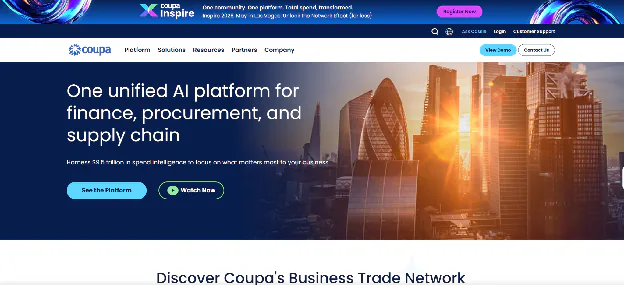
Coupa is one of the most complete P2P platforms out there, built for mid-to-large businesses with serious procurement needs. It covers everything, supplier management, sourcing, contracts, purchasing, invoice automation, and payments, in one place.
The spend analytics are genuinely powerful, and the Coupa Business Spend Management network gives buyers access to a large pool of already-connected suppliers.
The downside? It's expensive. And it takes real time and internal resources to implement properly. If you're a smaller business or don't need the full feature set, you'll pay for a lot of things you don't use. But for a large team managing complex procurement across multiple categories and countries, it's hard to beat.
Best for: Mid-to-large enterprises with high transaction volumes, complex procurement needs, and the budget to support a full rollout.
SAP Ariba

SAP Ariba handles more purchasing transactions globally than any other platform. The Ariba Network, its supplier connectivity layer, is the largest in the world, which makes supplier onboarding significantly easier. It covers procurement, sourcing, contracts, and AP with deep native integration into SAP's ERP.
The honest caveat: it's built for enterprises, priced for enterprises, and works best for businesses already running SAP. Outside that world, integration gets more complicated. The user experience has improved a lot in recent years, but it's still a heavy system that requires real investment to implement.
Best for: Large enterprises, especially SAP ERP users, with global operations and high procurement complexity.
Oracle NetSuite Procurement
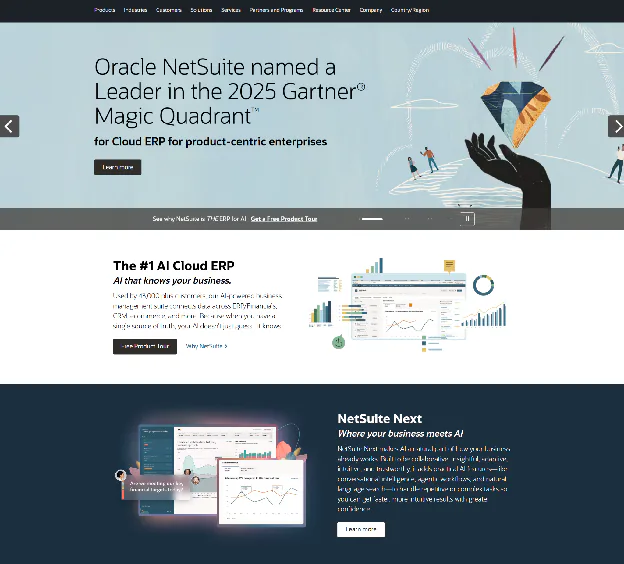
If you're already running NetSuite as your main finance system, the built-in procurement module is worth a serious look before you consider anything else. The integration is native; data flows between procurement and finance automatically, in real time, without any connector or reconciliation.
It's not as deep as a dedicated P2P platform. The supplier management and analytics features are more basic. But for a business that doesn't need those advanced capabilities, it's a clean, cost-effective option that avoids managing a second system.
Best for: Small to mid-sized businesses already on NetSuite who want solid procurement functionality without adding another platform.
Procurify
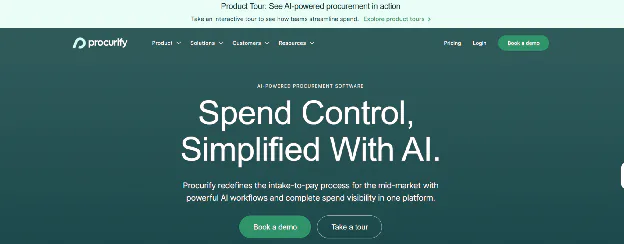
Procurify is probably the most usable P2P platform in the mid-market. The interface is clean, the learning curve is short, and adoption rates tend to be notably higher than with enterprise tools.
It covers purchase requests, approvals, purchase orders, goods receiving, budget tracking, and invoice automation, and it does all of them without unnecessary complexity.
Integrations include QuickBooks, NetSuite, Sage Intacct, and Microsoft Dynamics 365. The mobile approval experience is one of the better ones on the market. It's not the right choice for a business with 10,000 purchase orders a month, but for a team in the $10M to $250M revenue range looking for something that actually gets used, Procurify is consistently one of the top recommendations.
Best for: Growing mid-market businesses, particularly in healthcare, technology, manufacturing, or education, that want fast implementation and strong day-to-day usability.
Tipalti
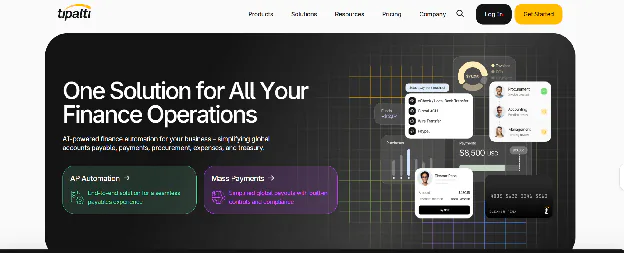
Tipalti started as an accounts payable tool and has grown from there. Where it really stands out is international payments, multi-currency processing, supplier self-service onboarding, tax compliance across countries, and payment reconciliation.
For businesses with suppliers in multiple countries, this is genuinely strong functionality that most procurement platforms handle poorly.
On the purchasing side, purchase requests, POs, and three-way matching, Tipalti is decent but not exceptional. Think of it as an AP-first platform with procurement features attached, rather than a full end-to-end P2P system. It works best when paired with a procurement workflow tool or when the primary pain point is on the payment side.
Best for: Businesses with high-volume international payments or complex supplier payment needs who want strong AP automation.
Basware
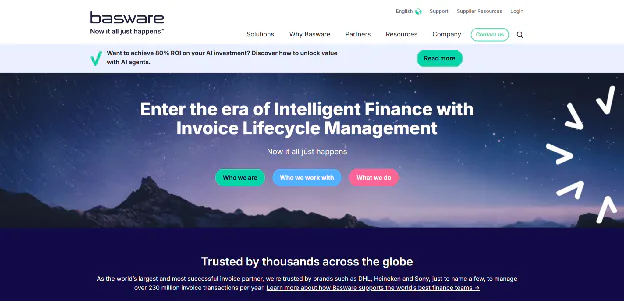
Basware is built around invoice processing and AP automation. If you're processing hundreds or thousands of invoices a month and need serious e-invoicing capability, especially in European markets where e-invoicing is a regulatory requirement, Basware is one of the strongest options. The supplier network is large, and the compliance framework is mature.
The procurement side is less impressive. Basware works well as the AP and invoicing layer within a broader procurement setup, but it's not the system you'd choose if you need a full end-to-end P2P experience.
Best for: Mid-to-large businesses with high invoice volumes, particularly those with European operations or complex e-invoicing requirements.
Ivalua
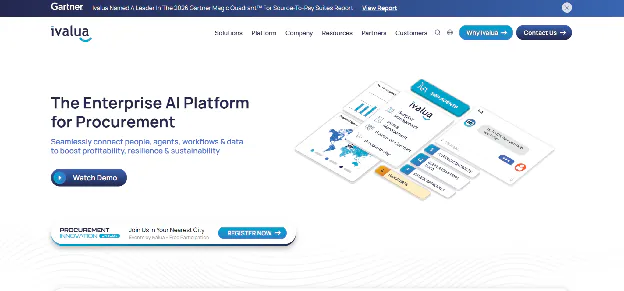 Ivalua is the most configurable platform on this list. If your procurement process has unusual requirements, custom approval structures, non-standard workflows, or complex multi-entity setups, Ivalua can probably handle it when other platforms can't. Gartner consistently places it in the top tier for source-to-pay.
That configurability comes at a cost, though. Ivalua isn't something you turn on and start using. It's something you build. Implementation takes time, requires specialist knowledge, and needs ongoing configuration work. For businesses with genuinely complex requirements, the investment is worth it. For most, it's more than needed.
Best for: Mid-to-large enterprises with complex, non-standard procurement requirements that demand high flexibility.
Here's how they compare side by side:
| Platform | Best For | Company Size | Cost Level | ERP Fit | Ease of Use | Standout Feature |
|---|---|---|---|---|---|---|
| Coupa | Full enterprise P2P | Mid–Enterprise | High | Strong | Moderate | Spend analytics depth |
| SAP Ariba | Global enterprise | Large Enterprise | High | Best with SAP | Moderate | Ariba supplier network |
| NetSuite Procurement | NetSuite users | SMB–Mid | Mid | Native | Good | Seamless ERP sync |
| Procurify | Mid-market teams | SMB–Mid | Mid | Strong | Very Good | Usability and adoption |
| Tipalti | Global payments | SMB–Mid | Mid | Strong | Good | International payment handling |
| Basware | High invoice volume | Mid–Enterprise | Mid–High | Strong | Moderate | e-Invoicing compliance |
| Ivalua | Complex requirements | Mid–Enterprise | High | Strong | Moderate | Deep configurability |
How to Actually Choose the Right Platform
Here's the honest version of the selection process. Not the version where you compare feature lists in a spreadsheet, but the version where you figure out what your business actually needs.
Start with your ERP
This is often the most important factor, and it gets overlooked. If you're on NetSuite, a native integration cuts the implementation complexity significantly. If you're on SAP, Ariba is hard to argue against. If you're on QuickBooks, you're looking at mid-market platforms like Procurify or Tipalti. Figure out what integrates well with your existing setup before anything else.
Be honest about your transaction volume
Enterprise platforms are built for thousands of transactions a month. If you're doing dozens to a few hundred POs monthly, you'll pay for scale you don't use, and deal with complexity you don't need. Match the platform to your actual volume, not your five-year plan.
Test your real approval scenarios
Not a demo. Your actual workflow. If your approvals vary by department, by spend level, or by supplier type, walk the vendor through your specific setup and make them show you how the system handles it. This is where most platforms reveal their limitations.
Ask about international payments early
If you buy from suppliers in multiple countries, you need the platform to handle different currencies, different payment methods, and different tax rules. Don't assume it does. Ask specifically. Tipalti handles this well. Others vary significantly.
Put usability as high as capability
A platform nobody uses doesn't solve the problem. It adds cost while keeping the old problem. Before you sign, ask for references from customers at a similar size and industry. Find out what adoption looked like six months after go-live.
What Does P2P Software Actually Cost?
Pricing across this market varies a lot. Here are the main models.
Per user, per month
Common in mid-market platforms. You pay based on how many people have access. Predictable and scales with the team, but can add up quickly as headcount grows.
Platform fee
A fixed annual or monthly fee regardless of user count. Enterprise platforms typically use this model. The base price is higher, but it doesn't grow with every new hire.
Per transaction or percentage of spend.
Some AP-focused platforms charge based on invoice volume or a percentage of the spend flowing through the system. This ties cost to usage, but can become expensive at scale.
The headline price is never the full price. Add implementation costs, training, custom integrations, and support contracts, and you're often looking at 1.5x to 2x the base subscription cost in year one. Always ask for a full three-year cost estimate, not just the monthly rate.
Is it worth it? Ardent Partners benchmarks say manual invoice processing costs between $8 and $15 per invoice. Automated processing brings that below $3.
For a business handling 300 invoices a month, that's a saving of $18,000 to $36,000 per year, just from invoice processing alone. The business case is usually straightforward once you run the numbers against your actual volume.
Ask every vendor to model the ROI based on your actual invoice volume and current processing costs. If they can't or won't do that, pay attention to why.
What You Actually Get When It Works
These aren't theoretical. They're what teams consistently report after making the switch.
Purchases that used to take a week now take a day, because approvals happen in the system, not in someone's email queue
Invoice errors drop significantly, automated matching catches discrepancies before payment, not after
Finance and procurement are working from the same data for the first time, which makes budget conversations a lot less painful
Spending that used to happen outside the process, quick buys on personal cards, informal supplier arrangements, becomes visible and manageable
Supplier relationships improve because payments are accurate and on time, which gives you real leverage in negotiations
When an auditor asks a question, the answer is a few clicks away instead of a two-day search
Your P2P Software Is Only as Good as the Supplier Data Feeding It
Here's something that doesn't get talked about enough. A P2P platform manages your purchasing process. But the quality of that process depends heavily on what's in the system before the first order is placed.
A supplier with the wrong bank details causes a payment failure. A supplier who was never properly qualified causes a quality dispute that your P2P platform has to absorb. A supplier whose pricing was never benchmarked means you're approving invoices without knowing whether they're reasonable.
Getting this right happens upstream, during supplier discovery and qualification, before anyone raises a purchase order.
This is where ChinaSource fits in. The platform uses AI to reach out to qualified suppliers across global manufacturing markets at the same time, collects standardized quotes, and puts the comparison in front of your team before any buying commitment is made.
By the time a supplier enters your P2P process, they've been properly screened, and pricing has been checked against the market. You can read more about how ChinaSource handles supplier qualification and RFQ, or see how it works for contract manufacturing specifically.
Poor supplier data upstream creates problems all the way through the P2P cycle. Cleaning it up before implementation is one of the best things you can do to make your new platform actually work.
The Mistakes That Trip Up Most Implementations
Choosing features without testing your real workflows
Every platform looks good in a demo. The real test is whether it can handle your specific approval structure, your actual supplier types, and your real edge cases. Build a test with your own scenarios and run it before you sign.
Assuming the integration just works
Ask the vendor to show you exactly how data moves between their platform and your accounting system. In real time. Automatically. If they can't demo it with your actual ERP, find out why before you commit.
Skipping the change management piece
P2P software changes how people work, how they request things, how they approve them, and how they process invoices. Roll it out without proper communication and training, and people will find ways around it. A P2P platform with low adoption is worse than no P2P platform.
Going live with messy supplier data
Migrating wrong or incomplete supplier records into a new system doesn't fix them. It makes them permanent. Before go-live, verify bank details, check contact information, confirm tax IDs, and remove duplicates. It's the most unglamorous part of implementation. It's also the most important.
Trying to go live with everything at once
Start with the process that's causing the most pain. Usually, that's invoice processing or PO management. Prove it works, build confidence, then expand. Teams that try to automate everything simultaneously almost always run into problems that slow the whole rollout down.
How to Get Started: A Practical Sequence
Step 1: Map how purchasing actually works today. Not how it's supposed to work. How it really works. Where do requests come from? Where do approvals get stuck? What happens when an invoice doesn't match? This audit tells you what problem you're actually trying to solve.
Step 2: Find the biggest pain points. Is it invoice processing time? Approval delays? Duplicate payments? Spend visibility? Prioritize the problem that's costing you the most, in time, money, or both. That becomes the primary criterion for your platform evaluation.
Step 3: Shortlist two or three platforms. Based on size, budget, ERP, and pain points, identify the platforms worth evaluating seriously. Request demos, ask for references from similar businesses, and test the approval workflow with your actual setup.
Step 4: Run a pilot. Before a full rollout, implement the platform for one team or one process. This surfaces integration issues, workflow gaps, and adoption problems at a scale you can manage. It also builds the internal business case for expanding.
Step 5: Measure from day one. Before go-live, record your current numbers, invoice processing time, cost per invoice, approval cycle time, and error rate. Track the same metrics after implementation. That comparison is how you prove the value and justify the investment.
P2P Software FAQ
What's the difference between P2P software and an ERP?
An ERP is a broad system that manages finances, inventory, HR, and operations across a whole business. P2P software focuses specifically on purchasing, from the first request to the final payment.
Most ERPs have a basic procurement module, but dedicated P2P platforms go much deeper in that area. Many businesses use both: an ERP for financial records and a P2P platform for the purchasing workflow, with an integration connecting the two.
Can small businesses use P2P software?
Yes. And more and more small businesses are finding that the economics make sense. Platforms like Procurify are built specifically for growing teams, not just enterprise procurement departments.
If you're dealing with approval delays, invoice errors, or spending you can't track properly, and you're processing more than 20 or 30 purchase orders a month, the cost of a good mid-market platform is usually much lower than the cost of the problems it fixes.
Does P2P software handle international payments?
Some platforms handle this very well. Others treat it as an afterthought. Tipalti is specifically strong here; multi-currency payments, supplier tax compliance across countries, and global payment methods are all built in properly.
Most enterprise platforms handle international payments adequately. If a significant portion of your suppliers is overseas, test this specifically before making a decision.
How long does it take to implement?
It depends on the platform and the complexity of the setup. A mid-market implementation, say, Procurify connecting to NetSuite for a team of 50, can be up and running in four to eight weeks with proper preparation. An enterprise platform like Coupa or SAP Ariba typically takes three to six months, sometimes longer. The main variables are how complex your approval workflows are, how clean your supplier data is, and how much integration work is needed. Always build in more time than you think.
What is three-way matching, and why does it matter?
Three-way matching is the process of checking that a supplier's invoice matches both the original purchase order and the delivery record before any payment is approved.
All three need to agree on what was ordered, what was delivered, and what's being charged. P2P software does this automatically and flags anything that doesn't match for review. It's the main protection against overpayments, duplicate payments, and invoice fraud, and it's one of the first things teams notice when they switch from manual to automated.
Do we still need P2P software if we already have an ERP?
It depends on what your ERP's purchasing module can actually do. If you're on SAP and using SAP Ariba, or on NetSuite and using the built-in procurement module, you may already have most of what you need.
But if your ERP's procurement features are basic, limited approval workflows, no three-way matching, weak supplier management, a dedicated P2P platform alongside the ERP is usually worth it. Most mid-market ERPs fall into that category.
One Last Thing
Picking P2P software is one of those decisions that looks straightforward and isn't. The platforms all sound similar in demos. The pricing is hard to compare directly. And the feature you needed most is always the one nobody thought to test before signing.
So start with your actual problem. Not the category. Not the feature list. The specific thing that's costing you time and money right now. Build your evaluation around that. Test it with your real workflows.
And be honest about your implementation capacity, the right platform for a team that can support a six-month rollout is different from the right platform for a team that needs to be live in six weeks.
And before any of these matters, make sure the supplier data feeding your P2P system is clean and accurate. That work happens upstream, during supplier discovery and qualification.
It's the foundation everything else runs on. If you're building that foundation and want support qualifying suppliers globally before your first purchase order goes out, that's exactly where ChinaSource helps.